Professional invoices
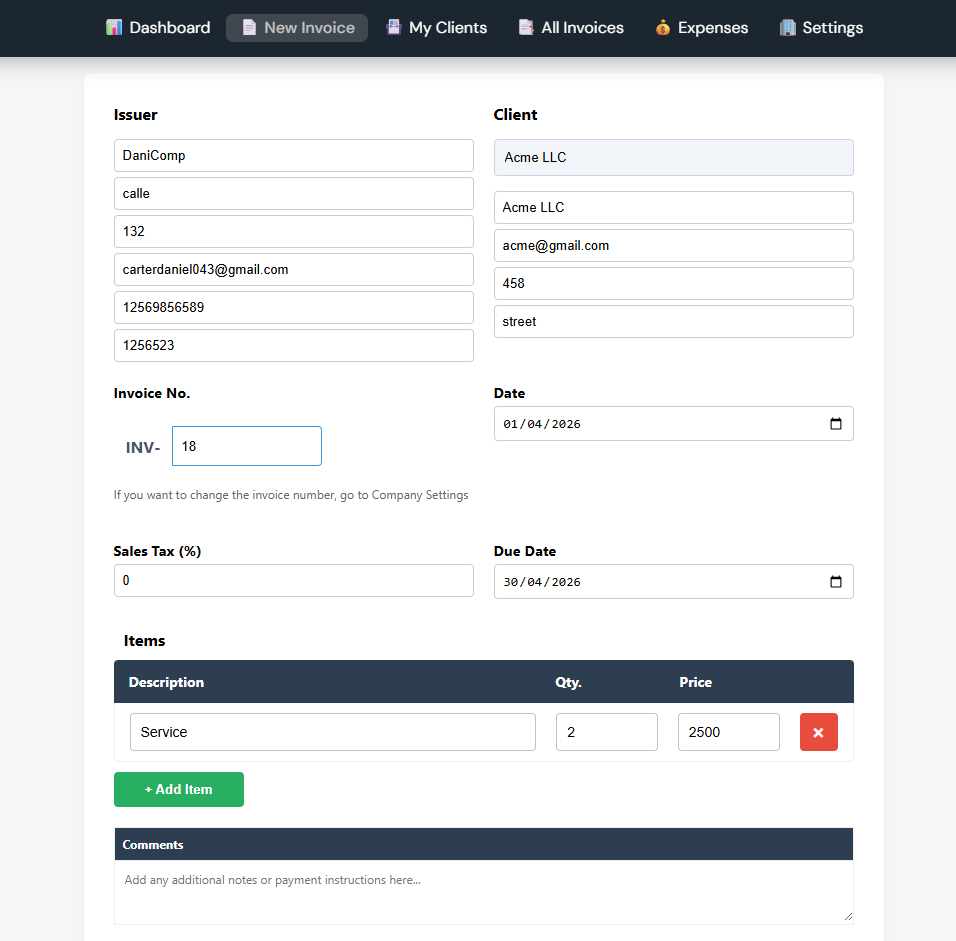
Build an invoice with your logo and tax rate, then download it as a PDF and send it. Line items, quantities and totals update as you type.
Invoicing + AI receipt scanning
Invoicing built for small service businesses in the US. Create a professional invoice and download the PDF, photograph a receipt to log an expense in seconds, and watch paid, pending and overdue on one dashboard.
$9/month · 7-day trial · no credit card
What you get
No add-ons, no tiers. One plan covers invoicing, expenses, reporting and your team.
Build an invoice with your logo and tax rate, then download it as a PDF and send it. Line items, quantities and totals update as you type.
Photograph a receipt. The OCR reads vendor, amount, date and category and drops them into an expense. Photos, scanned PDFs and digital receipts all work.
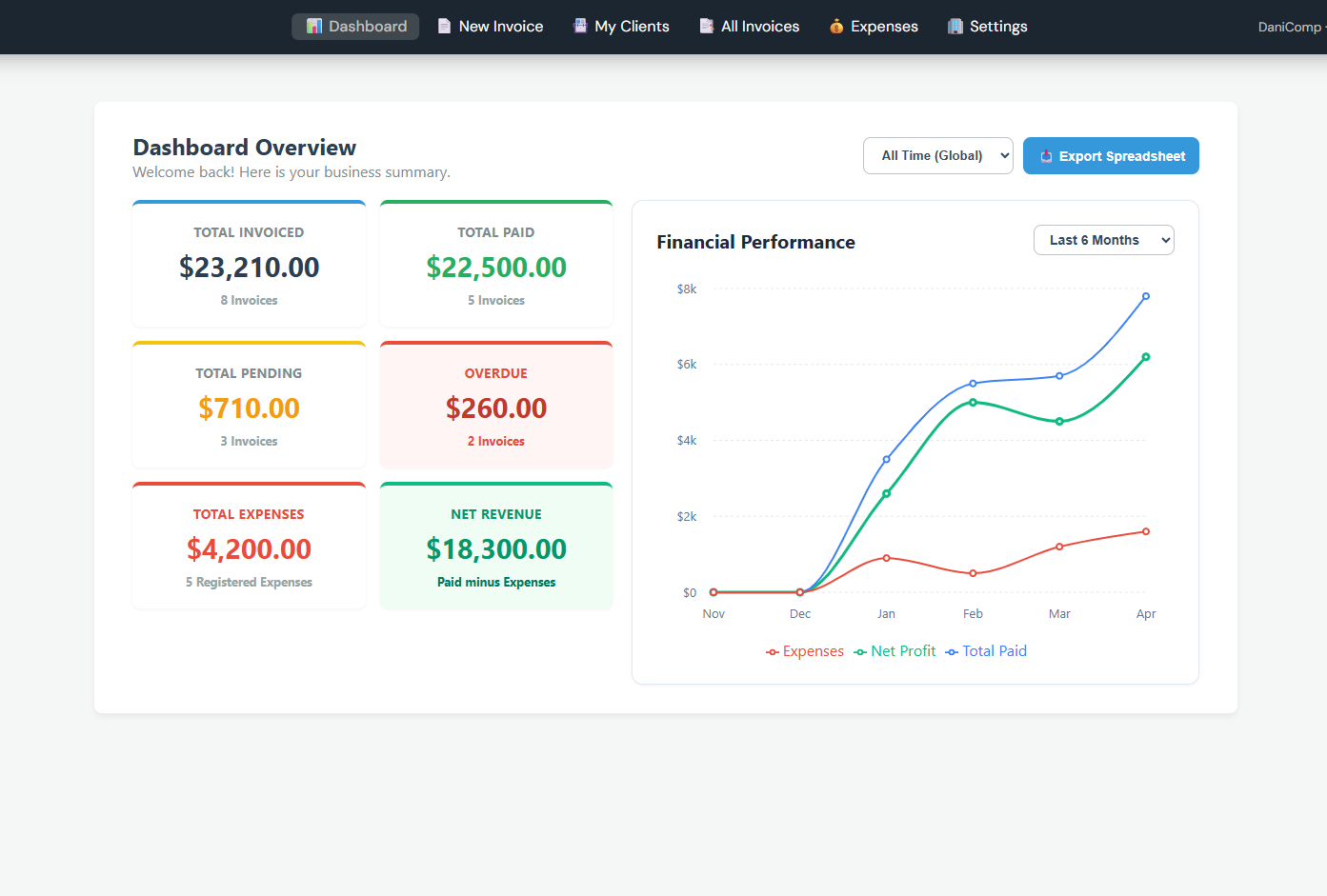
Total invoiced, paid, pending and overdue on one screen, plus a six-month chart of paid income against expenses. Net revenue is paid minus expenses.
Keep every client with their full invoice history. Search by name, filter by status, and see exactly what each one still owes.
Invite your bookkeeper or a partner. Admins manage settings and billing; members create invoices and log expenses. Everyone sees the same numbers.
Export invoices, expenses and totals to a spreadsheet for any date range. Your accountant gets exactly the file they ask for.
Receipt scanning
Snap the receipt from your phone or drop in a PDF. Azure Document Intelligence reads it and returns structured data you can save as an expense without typing.
The four fields you'd otherwise type come back filled in from the receipt.
Seen the vendor before? It links to the existing one instead of making a duplicate.
The expense lands in the right category, so your reports add up without cleanup.
A phone snapshot, a scanned page or an emailed receipt all read the same way.
Getting started
Use your Google or Microsoft account. No new password to set or remember.
Company details, logo and tax rate. A short guided setup, under a minute.
Send your first invoice, add a client, and scan a receipt to log your first expense.
The actual product
Pricing
No feature gates, no per-seat surprises. Start with a 7-day trial and no card.
7-day free trial · no credit card to start
Start free trialCancel anytime. Export all your data to Excel in one click.
Set up your business, send one invoice, and scan one receipt. If it doesn't save you time, you've spent seven days and no money finding out.
7-day trial · no credit card · cancel anytime